Journaling and notes that meet you where you are.
For Android 8 and newer. Quillver is in testing now and is coming soon to Google Play.
Writing
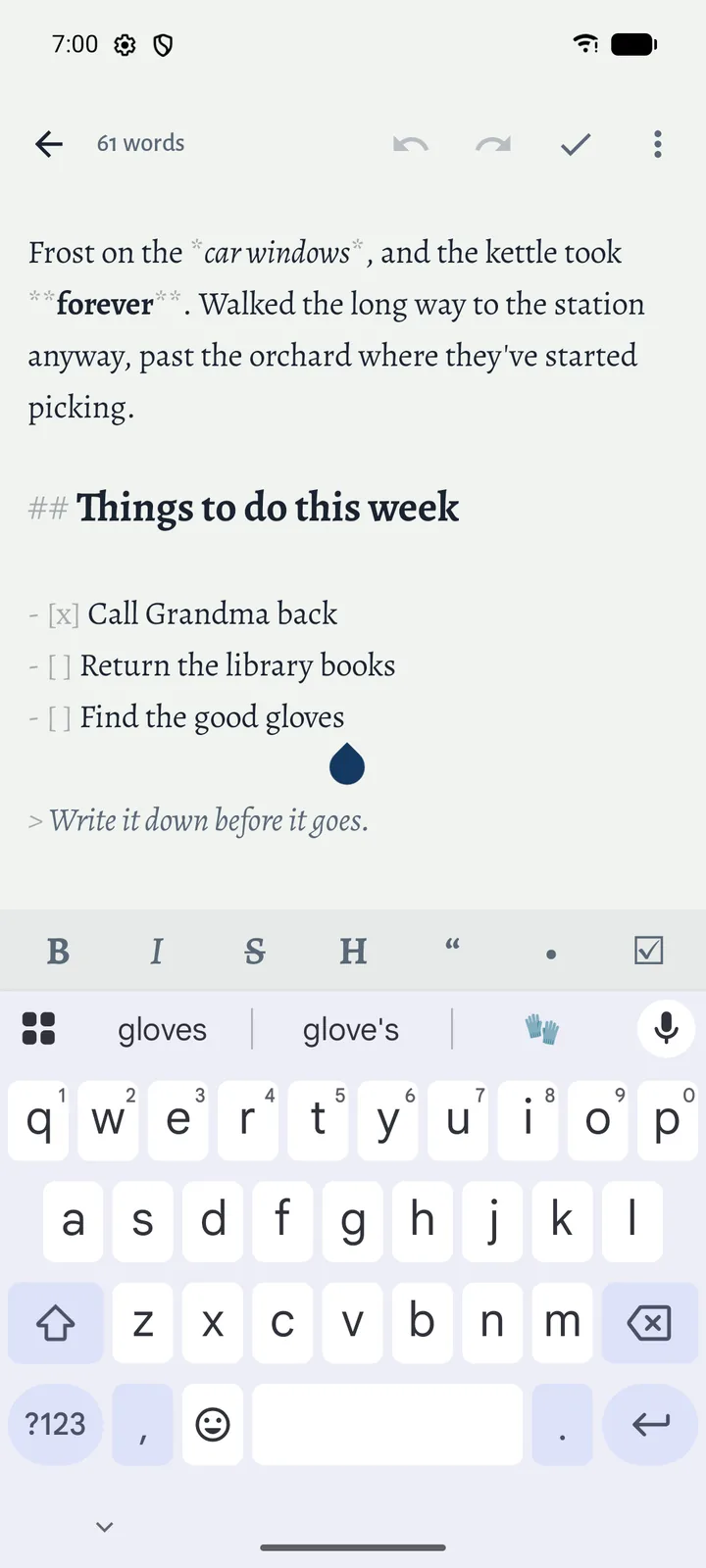
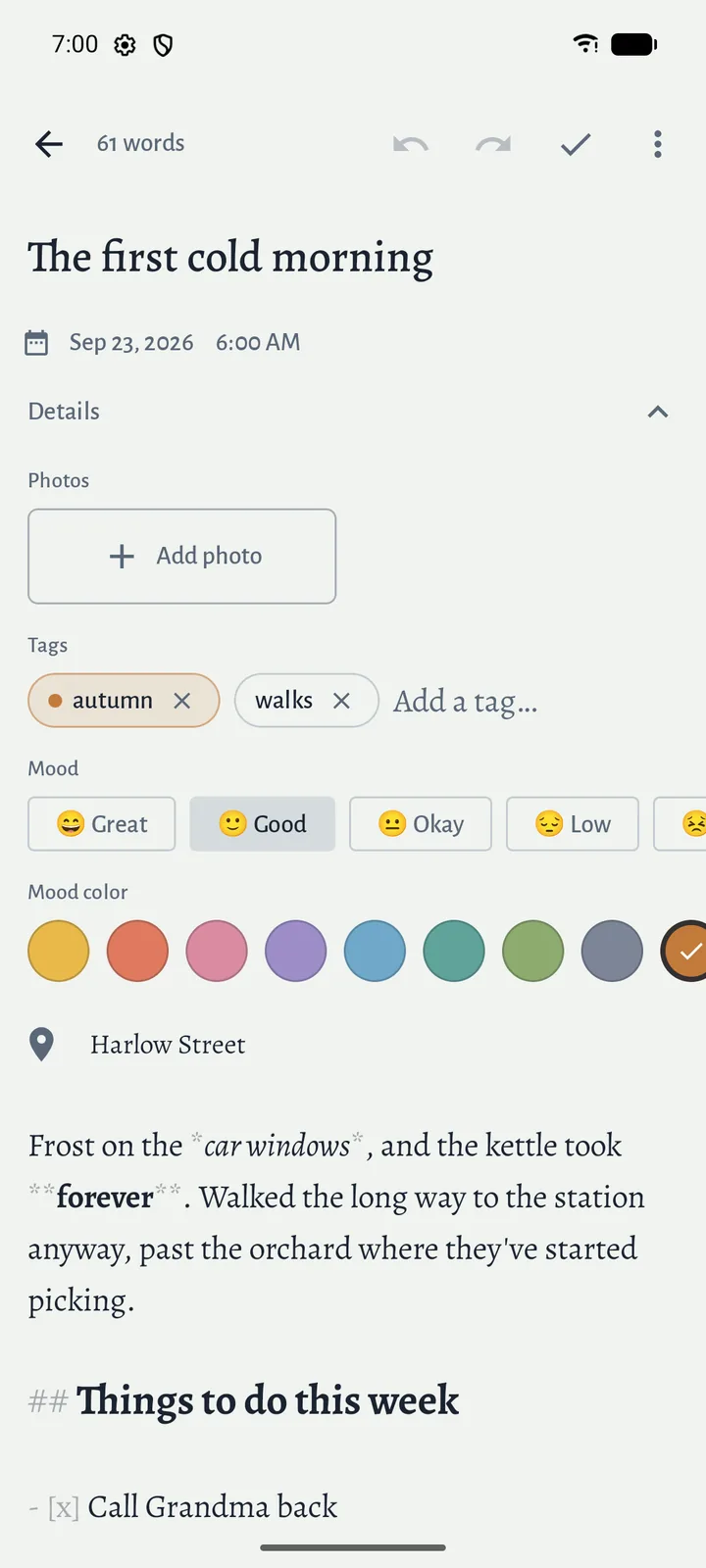
The editor stays out of the way: a blank page, a small toolbar for formatting, undo and redo, and a word count. Markdown is styled as you type, and your writing saves itself as you go.
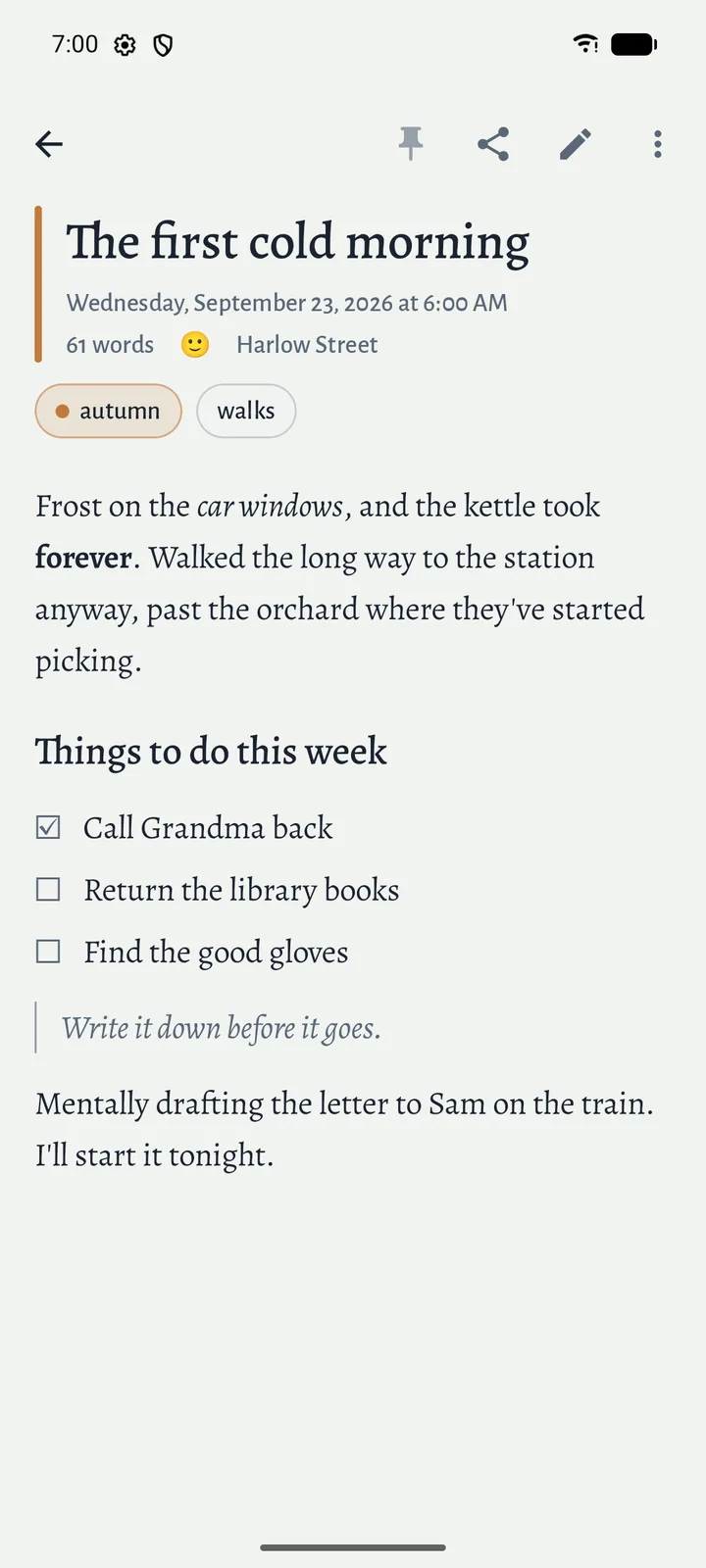
Open an entry and it’s laid out for reading, with real headings, lists, quotes, tables, links and photos. Checklists can be ticked right there. Edit is one tap away.
Attach photos from your files or take one with the camera. They’re kept exactly as you added them. Share text or a photo into Quillver from another app and it starts a new entry.
Days and moods
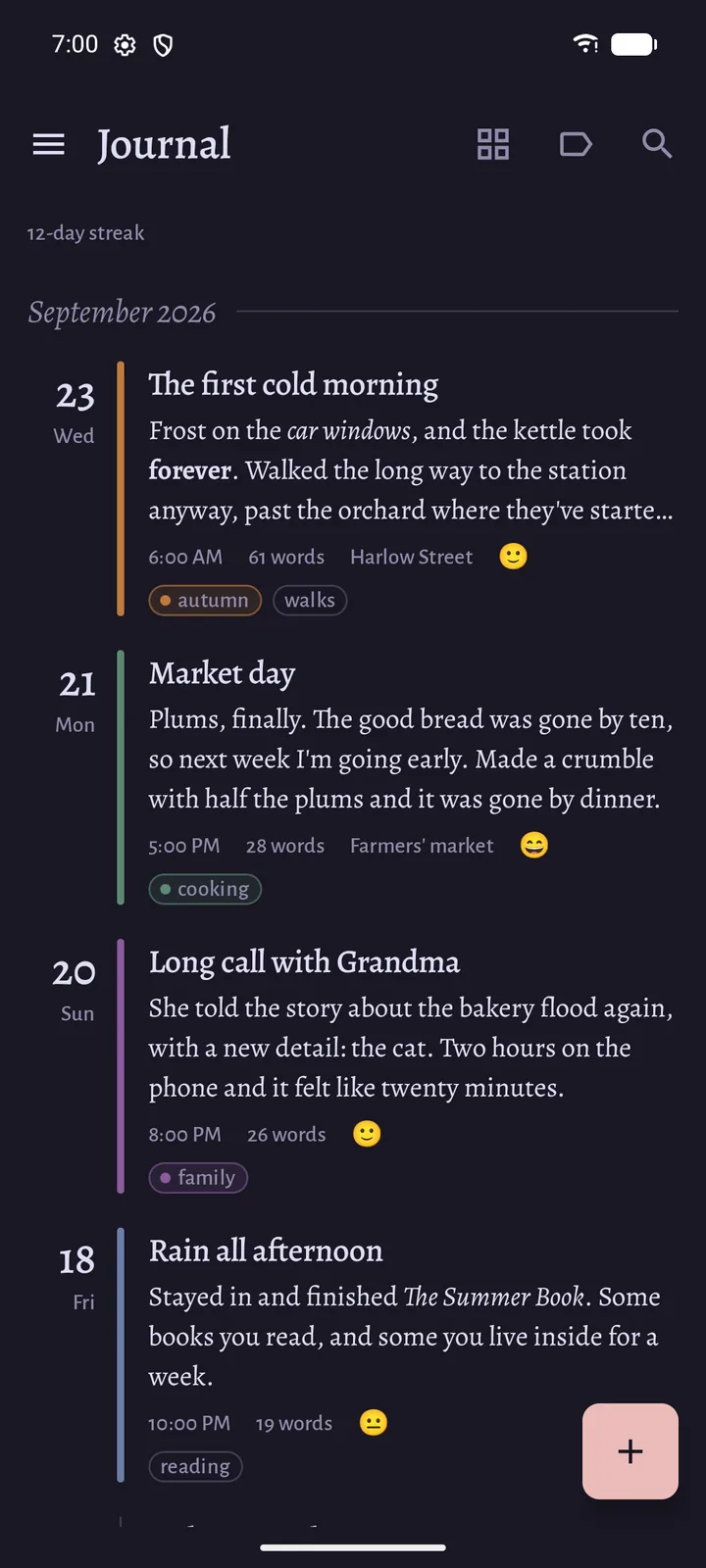
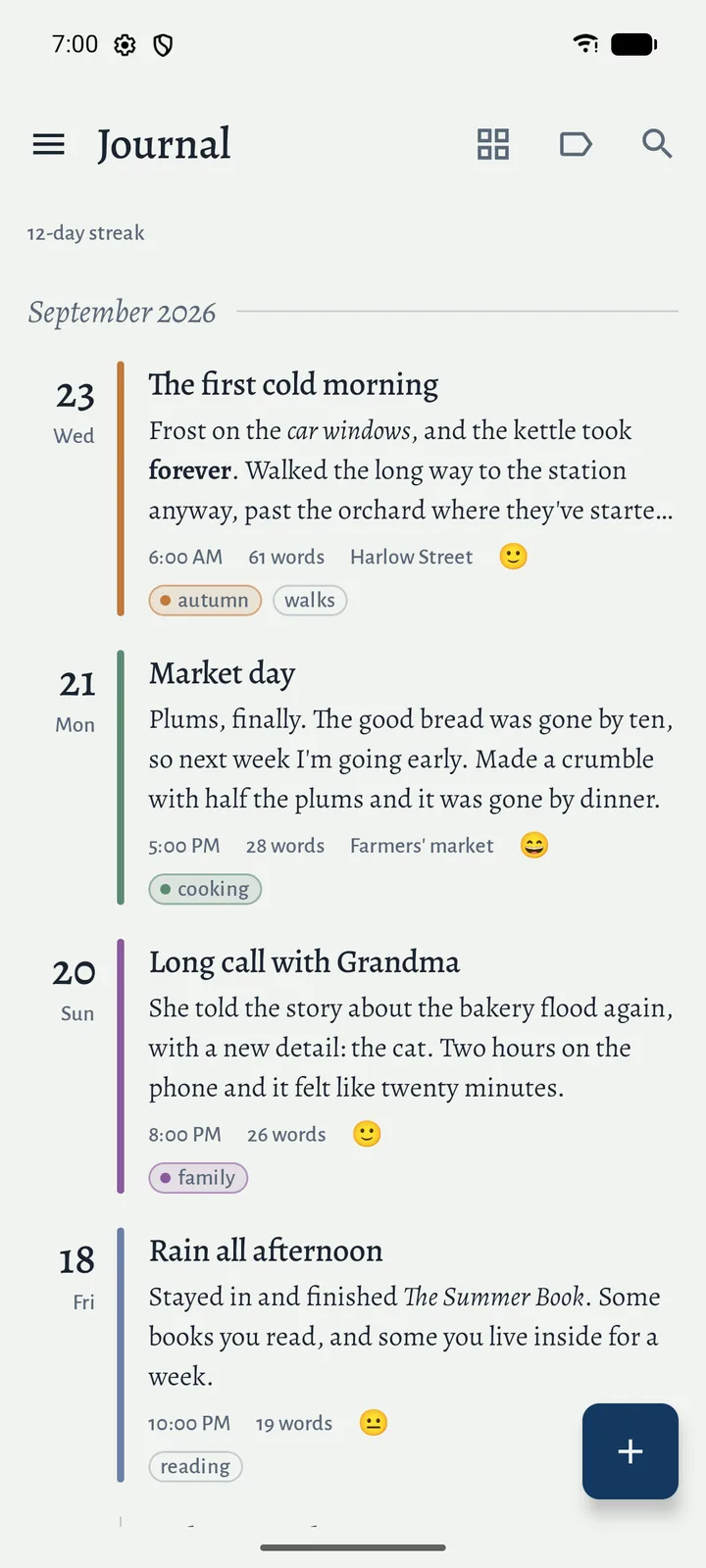
Give an entry a mood and a color, and the color runs down its edge in the list. Add a place if you like. Each of these can be turned off in Settings.
Change an entry’s date to write up yesterday or copy in an old paper journal, and it moves to the right day on its own.
Finding it again
Keep entries in notebooks of your own. Every install starts with a Journal and a Writing notebook, and “All entries” shows everything at once.
Tag entries as you write, and filter by one tag or several. Rename or recolor a tag later and it changes everywhere. Search looks through the full text of every entry. Deleted entries stay in the Trash for 30 days, in case you change your mind.
Your colors
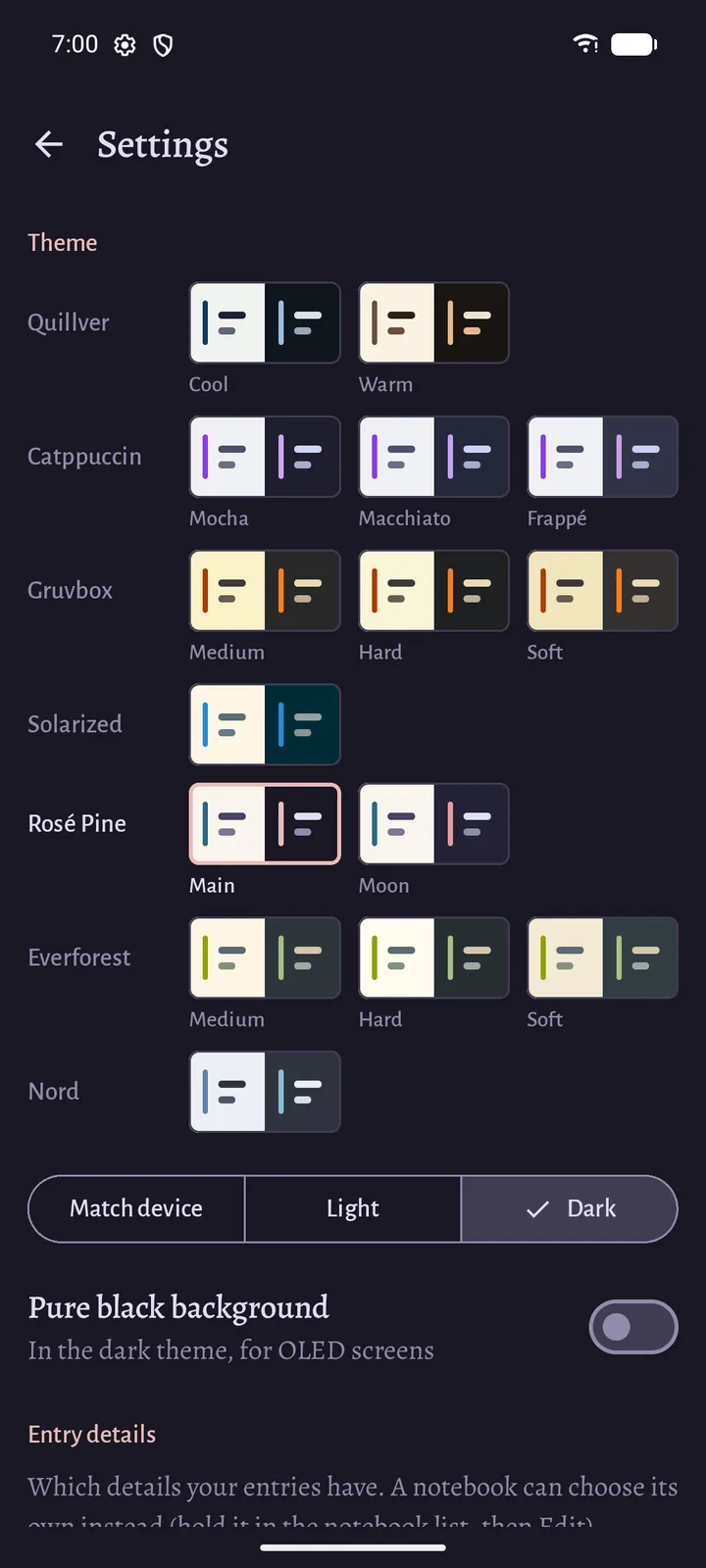
Pick a palette to suit you: Quillver’s own Cool and Warm, or Catppuccin, Gruvbox, Solarized, Rosé Pine, Everforest and Nord. Each has a light and a dark side that can follow your phone, and there’s a pure black option for OLED screens.
Yours to keep
Your writing is never locked in. Export one entry or all of them as Markdown files, share an entry as text, or save a full backup that you can restore on any phone, merged with what’s already there.
Turn on App lock and Quillver asks for your fingerprint, face or screen lock before it opens, so a phone left unlocked doesn’t leave your journal open too.
The privacy policy spells out what the app stores and how your data is handled.